



Introduction
Running a business involves more than selling products or providing services. Business owners must manage payments, track inventory, monitor sales, serve customers, and make decisions that support long-term growth. When these tasks are handled manually, they can take valuable time and increase the risk of mistakes.
- Introduction
- BIO
- What Is POS?
- How Does a POS System Work?
- Types of POS Systems
- How POS Systems Help Businesses Grow
- Faster Checkout
- Better Customer Experience
- Improved Inventory Management
- More Useful Sales Reports
- Fewer Manual Errors
- Better Employee Management
- Stronger Customer Loyalty
- Easier Business Expansion
- Better Financial Organization
- Which Businesses Can Benefit From a POS System?
- Essential POS Features
- How to Choose the Right POS System
- How Much Does a POS System Cost?
- Disadvantages of POS Systems
- POS System vs. Cash Register
- Common Mistakes to Avoid
- How to Get the Most From a POS System
- ALR Meaning: What This Popular Slang Word Really Means
- Frequently Asked Questions
- What Does POS Stand For?
- What Is a POS System Used For?
- Is a POS System Suitable for Small Businesses?
- Do POS Systems Need the Internet?
- Is a POS System the Same as a Card Machine?
- Can a POS System Help Increase Sales?
- Is a POS System Secure?
- Conclusion
This is where a point of sale (POS) system can make a difference. It helps businesses process transactions, organize sales information, and manage everyday operations more efficiently. Depending on its features, a POS system can also support inventory management, employee performance tracking, customer loyalty programs, and business reporting.
If you have ever paid for groceries at a supermarket, ordered food at a restaurant, or purchased clothing from a retail store, you have probably used a POS system without thinking much about it.
But what is POS, how does it work, and why do businesses rely on it? Understanding these questions can help business owners decide whether a POS system is a worthwhile investment for their operations.
BIO
| Label | Information |
|---|---|
| Full Form | Point of Sale |
| Common Name | POS System |
| Type | Business Management Technology |
| Main Purpose | Recording and managing sales |
| Primary Users | Retailers, restaurants, and small businesses |
| Main Functions | Sales recording and payment processing |
| Payment Methods | Cash, cards, and supported digital payments |
| Key Features | Inventory tracking and sales reports |
| Hardware | Computer, tablet, scanner, or payment terminal |
| Software | POS applications and management tools |
| Main Benefits | Saves time and reduces manual errors |
| Internet Requirement | Depends on the system and its features |
| Business Goal | Improve efficiency and support growth |
What Is POS?
POS stands for Point of Sale. It refers to the place or process where a customer completes a purchase and a business records the transaction. This might happen at a checkout counter, through a tablet in a restaurant, or using a mobile device at a market stall.
The term also commonly describes the technology businesses use to manage these transactions. A POS system can combine software, payment-processing equipment, and other tools to help a business handle sales.
For example, imagine that a customer visits a clothing store and buys a shirt. The employee scans the barcode, the POS system calculates the total, applicable taxes are added, and the customer pays using a card or another supported payment method. The system records the sale and may automatically reduce the available stock of that shirt.
This simple process demonstrates how a POS system connects several business activities in one place.
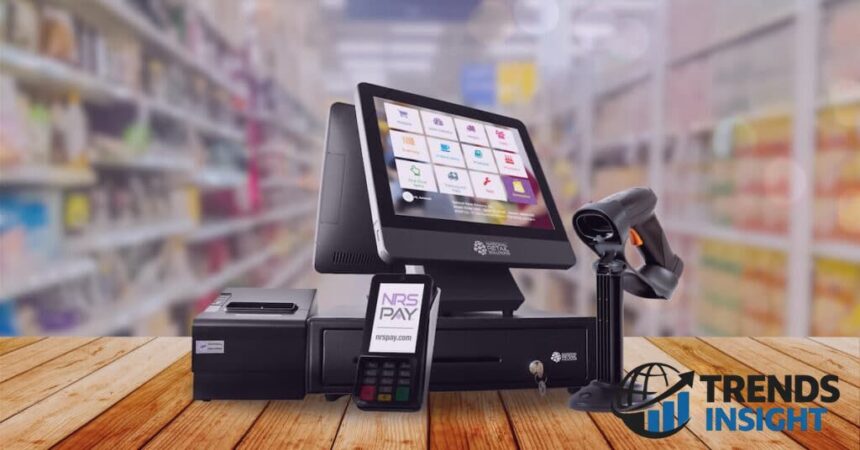
A basic POS setup might include a computer or tablet, sales software, and a receipt printer. A more advanced setup may also include a barcode scanner, cash drawer, payment terminal, inventory tools, and customer management features.
The exact equipment and functions depend on the business. A small shop may need only a few essential features, while a busy restaurant or supermarket may require a more comprehensive solution.
How Does a POS System Work?

A POS system brings together the main steps involved in completing a sale. Although the process differs between businesses, the general workflow is straightforward.
First, an employee enters the products or services being purchased. The system calculates the subtotal and applies relevant taxes, discounts, or other charges according to its configuration. The customer then selects an available payment method.
Once the payment is completed or otherwise recorded, the system saves the transaction. Depending on the software, it may also update inventory, generate a receipt, record the payment details, and add information to sales reports.
For example, a café might use its POS system to record a coffee order, accept payment, send the order to the preparation area, and include the transaction in the day’s sales figures.
Some systems can also connect with accounting software, online stores, loyalty programs, and other business applications. These integrations reduce the need to enter the same information into multiple systems.
However, not every POS system includes every feature. Businesses should check which functions are built in, which require additional subscriptions, and which depend on third-party integrations.
Types of POS Systems
Different businesses have different needs, so POS systems are available in several forms. Choosing the right type depends on the sales environment, budget, and level of functionality required.
Traditional POS systems are commonly installed at fixed checkout counters. They may use dedicated computers, barcode scanners, receipt printers, and payment terminals. These systems are suitable for businesses that process sales at a permanent location.
Cloud-based POS systems store and synchronize business information through online services. Authorized users may be able to review sales reports, manage products, or monitor multiple locations remotely. Their capabilities depend on the provider, internet connectivity, and subscription plan.
Mobile POS systems allow businesses to process sales using compatible smartphones or tablets and supporting payment hardware. They can be useful for market vendors, pop-up shops, delivery operations, and businesses that need to accept payments away from a fixed counter.
Self-service POS systems allow customers to complete certain transactions themselves. Supermarket self-checkouts and ordering kiosks in fast-food restaurants are familiar examples. They can help manage customer flow, although they may require additional equipment and support.
Restaurant POS systems are designed around food-service operations. Depending on the product, they can manage table orders, menu items, kitchen tickets, bills, staff access, and takeaway orders.
Each type offers different advantages. The best option is the one that fits the business’s actual workflow rather than the one with the largest number of features.
How POS Systems Help Businesses Grow
A POS system does not guarantee business growth, but it can provide tools that make daily operations more organized and help owners make better decisions. Its value often comes from combining several useful functions in one system.
Faster Checkout
Long queues and slow transactions can frustrate customers, particularly during busy periods. A POS system can speed up checkout by scanning products, calculating totals automatically, and supporting suitable payment methods.
Employees spend less time performing calculations or writing receipts by hand. This can make the purchasing process smoother and help staff serve customers more efficiently.
For a grocery store or busy café, even small improvements in transaction speed can make a noticeable difference during peak hours. The actual improvement depends on the equipment, staff training, payment method, and system performance.
Better Customer Experience
Customers generally appreciate accurate bills, convenient payments, and a straightforward checkout process. POS systems can support these expectations by reducing calculation errors and making transaction records easier to access.
Some systems also support digital receipts, gift cards, discounts, and loyalty programs. These features can make shopping more convenient when they are implemented properly.
Consider a small clothing store that offers a loyalty program. A compatible POS system might record qualifying purchases and apply rewards according to the program’s rules. Customers can benefit from a more consistent experience, while the business can better understand repeat purchasing patterns.
Good service still depends on employees and product quality, but suitable technology can make the experience more reliable.
Improved Inventory Management
Inventory management is one of the most useful features of many POS systems. When a product is sold, the system can automatically reduce its recorded stock level.
This gives employees a clearer picture of what remains available and can help identify products that need to be reordered. Some systems also offer low-stock alerts, supplier records, purchase orders, and stock reports.
For example, a convenience store may discover that certain drinks sell quickly on weekends. Reviewing sales and inventory information can help the owner plan purchases more effectively and reduce the chance of running out of popular products.
Accurate stock records can also help businesses avoid tying up too much money in items that sell slowly. However, the results depend on correct product setup, accurate receiving records, and regular checks for damaged, missing, or misplaced stock.
More Useful Sales Reports
Business owners need reliable information to understand how their operations are performing. A POS system can turn individual transactions into reports that reveal useful patterns.
Depending on its capabilities, the system may show daily revenue, transaction counts, product performance, average transaction value, and sales by time period or location.
These reports help answer practical questions. Which products sell best? When does the store become busiest? Are certain items selling less than expected? Did a promotion generate more sales?
A restaurant, for instance, might review weekly reports and discover that a particular meal sells well during lunchtime but rarely during the evening. The owner could use that information to review menu placement, stock requirements, or promotional plans.
Sales data does not explain every reason behind customer behavior, but it provides a useful starting point for making informed decisions.
Fewer Manual Errors
Manual sales recording can create problems when employees must calculate totals, update stock sheets, and transfer figures between different records. Mistakes may lead to incorrect bills, inaccurate inventory counts, or confusing financial reports.
A properly configured POS system automates many routine calculations and records transactions consistently. This can reduce certain types of human error and make it easier to review sales activity.
However, automation is not a substitute for checking the information entered into the system. Incorrect product prices, tax settings, discounts, or stock quantities can still produce inaccurate results.
Regular reviews and clear procedures remain important.
Better Employee Management
Some POS systems include employee accounts, permission settings, shift reports, and sales summaries. These features can help managers understand how the system is being used and maintain appropriate access controls.
For example, a shop owner may allow cashiers to process ordinary transactions while restricting access to sensitive settings or refunds. This can help reduce unauthorized changes and make responsibilities clearer.
Sales reports may also help managers plan staffing around busy periods. If transaction data shows that customer demand regularly increases at certain times, the business can consider adjusting employee schedules.
These tools should be used fairly and transparently. Sales figures alone do not always reflect an employee’s performance because customer traffic, product availability, and assigned responsibilities can vary.
Stronger Customer Loyalty
Attracting a new customer is only one part of building a successful business. Encouraging satisfied customers to return can also contribute to steady revenue.
Some POS systems support loyalty points, discount codes, customer profiles, and purchase histories. When used responsibly, these features can help businesses offer relevant rewards and understand repeat purchases.
A bakery, for example, might offer a reward after a customer makes a certain number of qualifying purchases. A compatible system can track progress and apply the reward according to the program’s conditions.
Businesses should collect only the customer information they need, explain how it will be used, and protect it appropriately. Loyalty programs work best when the rewards are genuinely useful and the rules are easy to understand.
Easier Business Expansion
As a business grows, managing more products, employees, transactions, or locations can become increasingly complicated. A suitable POS system can help standardize important processes.
Depending on the software, owners may be able to manage product catalogs, review reports across multiple branches, and control user permissions from a central account.
For a retailer opening a second shop, this can make it easier to compare performance and maintain consistent product information. Businesses that sell both online and in person may also benefit from integrations that synchronize orders and inventory.
Before expanding, owners should confirm that their chosen system supports the required number of locations, users, devices, and sales channels. Some capabilities may require more expensive plans or additional setup.
Better Financial Organization
POS systems can help organize transaction records and provide information that supports bookkeeping. Reports may include sales totals, refunds, discounts, taxes, and payment-method summaries.
When integrated with suitable accounting software, some systems can transfer transaction information automatically, reducing repetitive data entry.
These records can help business owners review revenue and investigate differences between recorded sales and actual payments. However, sales revenue is not the same as profit. Businesses must still account for product costs, wages, rent, taxes, processing fees, and other expenses.
A POS system can support financial organization, but it does not automatically replace proper bookkeeping or professional accounting advice.
Which Businesses Can Benefit From a POS System?
POS technology can be useful across many industries, although the ideal features vary.
Retail stores can use POS systems to scan products, manage inventory, record returns, and review sales performance. Clothing stores, supermarkets, electronics shops, and convenience stores are common examples.
Restaurants and cafés may need tools for order entry, kitchen communication, table management, menu changes, and bill splitting. A restaurant-focused system can bring these tasks together.
Salons and barbershops may benefit from appointment scheduling, service records, staff management, and payment processing when these functions are supported.
Small businesses and market vendors can use mobile POS solutions to accept payments and maintain transaction records without installing a large checkout system.
Online businesses with physical sales may benefit from integrations that help synchronize orders and inventory across online and in-person channels.
Not every business needs a complex system. A business with a small number of straightforward transactions may be comfortable with a basic solution, while a larger operation may need more advanced reporting and integrations.
Essential POS Features
The right features depend on the nature of the business, but several capabilities are worth considering before choosing a system.
Payment processing should support the payment methods customers commonly use. Confirm which payment terminal or provider is required and whether additional processing fees apply.
Inventory management is especially important for businesses selling physical products. Useful features may include stock adjustments, product variants, low-stock alerts, and purchase-order management.
Sales reporting helps owners review transactions and identify patterns. Look for reports that are easy to understand and relevant to daily decisions.
Employee permissions allow businesses to control which staff members can access particular functions. This can be important for refunds, discounts, and sensitive settings.
Customer management can support loyalty programs and customer records, provided the business handles personal information appropriately.
Integration options matter when a business already uses accounting software, an e-commerce platform, scheduling software, or other applications.
Security and reliability deserve careful attention. Look for secure payment handling, suitable access controls, software updates, dependable support, and a clear approach to backups and outages.
A business should prioritize features that solve real problems instead of paying for tools it is unlikely to use.
How to Choose the Right POS System
Choosing a POS system starts with understanding how the business operates. Before comparing providers, identify the tasks that take the most time, the problems that occur most frequently, and the information needed to make better decisions.
Begin by considering the business type and transaction volume. A restaurant may need kitchen order management, while a retail store may place greater importance on inventory and barcode scanning.
Next, establish a realistic budget. Compare the cost of equipment, software subscriptions, payment processing, installation, training, support, and any optional integrations. A low monthly subscription does not necessarily mean the system will be cheaper overall.
Ease of use is another important factor. Employees should be able to learn the main functions without unnecessary difficulty. Ask whether the provider offers demonstrations, training materials, and technical support.
Check whether the system works with the devices and applications the business already uses. If you plan to open additional locations or sell through more channels, review the provider’s expansion options before committing.
Finally, examine security and reliability. Understand what happens if the internet connection fails, a device stops working, or a payment cannot be processed. Confirm which functions are available offline and how information is synchronized afterward.
Taking time to compare these details can help prevent costly problems later.
How Much Does a POS System Cost?
The cost of a POS system varies according to its features, equipment, provider, and payment arrangements. There is no single price that applies to every business.
A basic setup may require a tablet or computer, POS software, and a compatible payment terminal. More advanced systems may include dedicated terminals, barcode scanners, receipt printers, cash drawers, kitchen displays, or multiple checkout stations.
Software may be charged through a monthly or annual subscription. Payment processors may also charge transaction fees, which can depend on the provider, card type, transaction method, and contract.
Other possible expenses include installation, employee training, premium support, data migration, and integrations with other business applications.
When comparing options, calculate the total cost of ownership, not just the initial purchase price. Consider what the system will cost over the period you expect to use it and whether the time saved or errors avoided justify the expense.
Small businesses should avoid paying for advanced features without a clear need. A simple, reliable system that fits the workflow may provide better value than a complicated package.
Disadvantages of POS Systems
Although POS systems offer several benefits, they also come with limitations that businesses should understand.
Initial costs can be a challenge, particularly for new businesses with limited budgets. Hardware, subscriptions, and payment fees may add up over time.
Training requirements can also affect productivity during implementation. Employees need to learn the system and follow consistent procedures for sales, refunds, and stock adjustments.
Technical problems may interrupt operations if equipment fails or software becomes unavailable. Cloud-based systems may rely heavily on internet access, although some offer limited offline functionality.
Security and privacy risks require ongoing attention. Weak passwords, excessive user permissions, outdated software, and poor data-handling practices can expose a business to avoidable problems.
Dependence on a provider is another consideration. Switching systems may involve transferring product records, configuring equipment, retraining employees, or changing payment arrangements.
Businesses can reduce these risks by choosing a reputable provider, training staff, maintaining updated software, controlling access, and preparing a practical backup plan for outages.
POS System vs. Cash Register
A traditional cash register is designed primarily to record sales and handle cash transactions. It may be sufficient for a small operation with limited inventory and straightforward checkout needs.
A POS system generally offers broader capabilities. Depending on the product, it can process different payment types, track stock, generate detailed sales reports, manage employee permissions, and connect with other business software.
For example, a small stall selling a few products might operate comfortably with a basic cash register or simple payment solution. A retail shop with hundreds of products may benefit more from automated inventory tracking and detailed reporting.
The main difference is not simply the equipment used at checkout. It is the amount of business information the system can organize and the tasks it can support.
Before upgrading, consider whether the additional features will solve existing problems or improve efficiency enough to justify the cost.
Common Mistakes to Avoid
One common mistake is choosing a POS system based only on price. A cheaper product may lack important functions or charge extra for features that another provider includes.
Another mistake is ignoring payment processing fees. Even small differences in fees may matter to a business that handles a large number of transactions.
Some businesses also overlook staff training. Employees who do not understand the system may enter incorrect information, mishandle refunds, or struggle during busy periods.
Failing to check integrations can create additional work. If inventory, accounting, or online sales records must be transferred manually, the business may not receive the efficiency it expected.
Finally, owners sometimes select a system based only on current needs. While it is unnecessary to buy every advanced feature immediately, it is sensible to consider whether the system can support likely future changes.
A careful evaluation of daily requirements, total costs, reliability, and long-term plans can make the decision easier.
How to Get the Most From a POS System
Installing the software is only the beginning. Businesses need clear procedures and regular reviews to gain meaningful value from their investment.
Start by entering accurate product names, prices, tax settings, and stock quantities. If the initial information is incorrect, reports and inventory records may also be unreliable.
Train employees to use the system consistently. Explain how to record sales, process returns, apply discounts, and handle unusual transactions. Give staff clear guidance about permissions and customer information.
Review reports regularly rather than waiting until a problem becomes serious. Comparing sales trends, inventory levels, and refund activity can help identify issues that deserve attention.
Keep the software and compatible devices updated. Use strong authentication where available, restrict access to authorized employees, and follow the provider’s recommendations for protecting data.
It is also sensible to prepare for downtime. Depending on the system, this may involve understanding offline payment limitations, keeping support details accessible, and establishing a temporary procedure for recording transactions.
Most importantly, use the information to answer practical business questions. Reports become more valuable when they lead to informed decisions about stock, staffing, customer service, and operating costs.
ALR Meaning: What This Popular Slang Word Really Means
Frequently Asked Questions
What Does POS Stand For?
POS stands for Point of Sale. It refers to the point where a customer completes a purchase and the business records the transaction. The term is also widely used for the software and equipment that manage sales.
What Is a POS System Used For?
A POS system is used to record sales and support payment processing. Depending on its features, it can also manage inventory, generate reports, issue receipts, track employee activity, and support customer loyalty programs.
Is a POS System Suitable for Small Businesses?
Yes. Many POS systems are designed for small businesses, including shops, cafés, salons, and market vendors. The best choice depends on the business’s budget, transaction volume, and required features.
Do POS Systems Need the Internet?
Not always. Some POS systems require an internet connection for most functions, while others offer limited offline capabilities. Offline payment processing may be restricted, and some transactions may need to synchronize later. Businesses should confirm the exact limitations with the provider.
Is a POS System the Same as a Card Machine?
No. A card machine is primarily designed to accept card payments. A POS system can include payment processing as part of a broader set of sales and management tools. Some businesses use a POS system connected to a separate payment terminal.
Can a POS System Help Increase Sales?
A POS system can support sales growth by improving checkout efficiency, helping businesses maintain stock, and providing useful customer and sales information. However, it does not guarantee higher sales. Results depend on product quality, pricing, customer demand, service, and how effectively the business uses the system.
Is a POS System Secure?
Security depends on the provider, equipment, configuration, and business practices. Choose a system with appropriate payment security features, maintain software updates, restrict account access, and handle customer information responsibly.
Conclusion
Understanding what is POS helps explain why this technology has become an important part of many modern businesses. A point of sale system does more than record purchases. Depending on its capabilities, it can help manage payments, track inventory, organize sales information, and improve everyday operations.
For business owners, the main benefits often include faster checkout, more reliable records, better stock control, and clearer information for decision-making. These improvements can free up time and help a business operate more consistently as it grows.
However, the right system depends on the business’s needs, budget, and plans. Owners should compare features, ongoing costs, ease of use, security, and reliability before making a decision.
A well-chosen POS system will not replace good management or customer service, but it can provide practical tools to support both. When the technology fits the way a business works, it becomes easier to manage daily tasks and make informed decisions about future growth.